Five New Styles for PrimeArea – Find Your Color!
-
Retux -
October 24, 2026 at 6:31 AM -
37 Views -
0 Comments
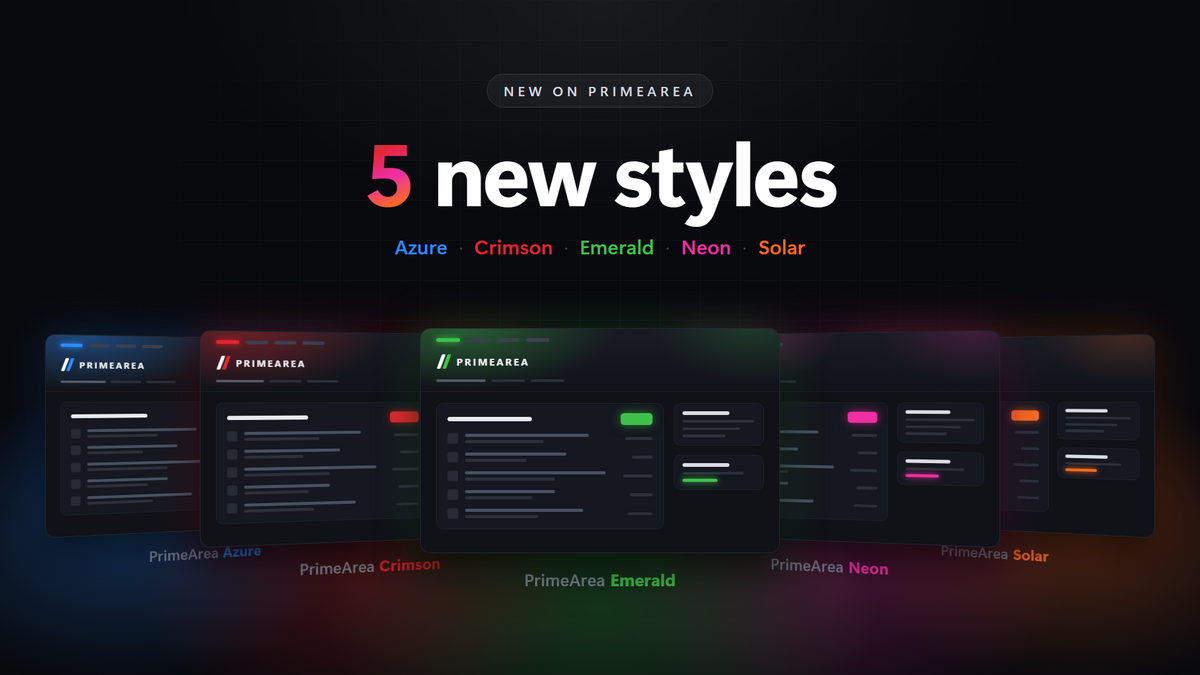
Everyone has their own taste – that’s why, starting today, you can experience PrimeArea in five different color worlds. All new styles share the same dark, clean design: navigation, layout and usability stay exactly the same. You simply decide which accent color accompanies you through the forum.
The five styles at a glance
PrimeArea Azure
Cool blue, clear and calm. Azure feels clean and pleasantly understated – perfect if you love spending hours browsing the forum.
PrimeArea Crimson
Bold red with plenty of energy. Crimson sets striking accents, making buttons and highlights pop instantly.
PrimeArea Emerald
Fresh green that feels vibrant without being pushy. Emerald gives you a natural, balanced look.
PrimeArea Neon
Glowing pink with a true neon vibe. The boldest of our five styles – for everyone who likes things a little louder.
PrimeArea Solar
Warm orange like a sunset. Solar brings warmth to the dark design and feels both inviting and modern.
How to switch your style
Scroll all the way down and click “Change Style” in the footer.
Pick your favorite in the dialog – the active style is marked with a checkmark.
Done! The change takes effect immediately.
When you’re logged in, PrimeArea remembers your choice – so your favorite style will be waiting for you on your next visit. And don’t worry: you can switch as often as you like.
We want your feedback!
Which style is your favorite? Let us know in the comments! And if you notice anything that doesn’t look quite right – a contrast that’s off or a spot that isn’t polished yet – please tell us. We’re continuing to fine-tune the styles and appreciate every bit of feedback.
Have fun trying them out!
Your PrimeArea Team